Send one message to the right people
One message to everyone with a tag, or to the people a flow reached, counted against what each platform allows.
Updated 11 November 2026
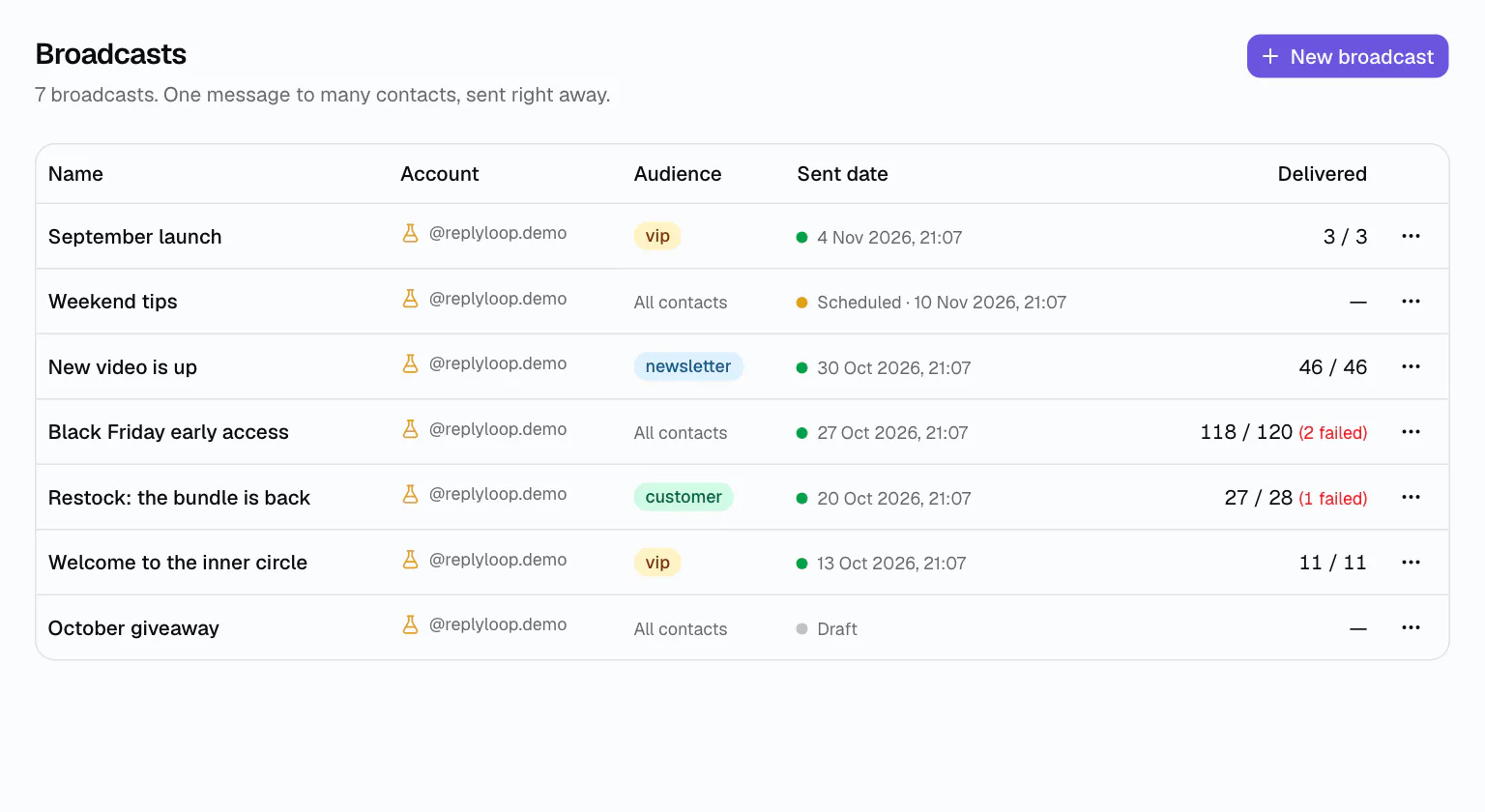
Your launch, your new video, your restock: some news should reach everyone who asked for it. A broadcast sends one message, with up to three buttons, to the contacts you choose on one account.
Before you send, DMCrew shows how many of them you can reach right now, so the number on screen is the number that will actually get it.
How it works
Name it and pick the account
One broadcast goes out on one connected account.
Choose the audience
All contacts or the ones with certain tags; narrow it to the people an automation reached, and to the ones who converted.
Write and send
The message and up to three buttons. “Send now” starts it; Stop sending ends it for good.
Respects each platform's window
Instagram and Messenger only allow a message within 24 hours of the person's last one, and never to someone who blocked you. DMCrew counts those people out and shows “N of M reachable now”. On a Telegram auto-reply bot the window does not exist: a bot can message anyone who has not blocked it.
The audience your automations built
Every tag your flows add is an audience: “lead” from Instagram comment-to-DM, “newsletter” from an email flow, “vip” from a story reply. Send to the people who took your free guide, or only to the ones who converted, without exporting a list.
Replies to a broadcast land in one inbox for every DM like any other DM, and delivered and failed counts stay on the broadcast's row.
- No audience cap, no per-contact price
- Up to 20 broadcasts an hour per workspace
- Delivered and failed counts per broadcast
Know what it did
The broadcasts list shows each one's audience, when it went out and how many messages were delivered, with failures counted separately. People who tap a button and reach a conversion step count in DM automation analytics.
A broadcast, step by step
Say you gave away a free guide last month and tagged everyone who took it “lead”. Open Broadcasts, choose New broadcast, pick the Instagram account, choose the tag “lead”, and DMCrew shows how many of those people you can message right now. Write the doors-open message, add a “See the course” button, and send. Replies arrive in your inbox, buyers who reach a conversion step are counted, and the broadcast's row shows how many messages were delivered.
Who it is for
Launch day
Everyone tagged “lead” from the guide giveaway gets the doors-open message and the checkout link.
New content
Subscribers tagged “newsletter” on Telegram hear about the new video the minute it is up.
Restocks
Customers tagged “customer” get the restock link before it goes public.
Works on
Questions
Broadcasts: questions
All contacts on an account, or the ones with certain tags. You can narrow it to people a specific automation reached, and to the ones who converted.
Instagram and Messenger only let you message people within 24 hours of their last message, and nobody who blocked the account. DMCrew counts only the people you can reach now.
No. Plans are a flat price and no plan caps your audience. A workspace can start up to 20 broadcasts an hour.
Yes. Stop sending is final: whoever already got the message keeps it, nobody else gets it.
Yes, up to three. A button can open a link or be a reply the person taps, and replies continue in your inbox.