Answer the same question once, in every DM
Pick the keywords, write the answer, add up to three buttons. Three steps, and your DMs answer themselves.
Updated 11 November 2026
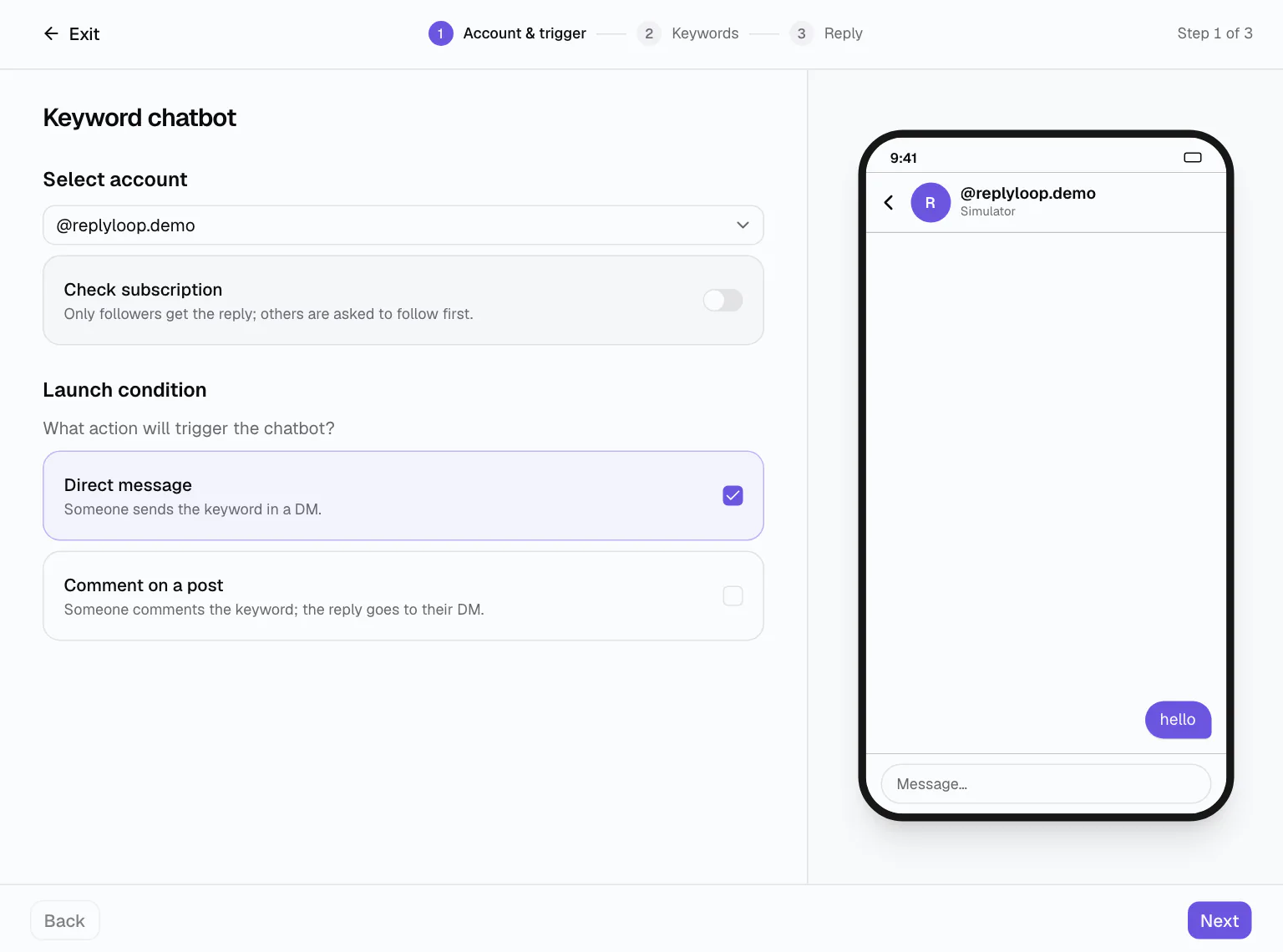
Most DMs are the same five questions: the price, the link, the booking, the size, the shipping. A keyword auto-reply answers each of them the second it arrives, in your words, with buttons that take people where they wanted to go.
The keyword chatbot is a form, not a canvas. A phone preview shows exactly what the person will see while you type, styled like the channel you picked.
How it works
Account and trigger
Choose the account and what starts it: a direct message, a comment on a post, or both. Turn on the follower check if only followers should get the reply.
Keywords
Type up to 10 words and choose “Message is”, “Message contains” or “Any message”, and how often one person can start it.
Reply
Write up to 1,000 characters, add up to three buttons with or without a link, and use {{first_name}}. Launch, then test.
Answers that move people forward
A button with a link opens your page. A button without one is a reply the person taps, and a tap counts as a conversion, so “Yes, send it” on a price question shows up in your numbers. Templates such as “Keyword reply” and “FAQ menu” start you with a working example to edit.
When one reply is not enough, open the automation in the flow builder and add questions, waits, tags and branches. The switch is one-way: from then on the builder is where you edit it.
On every channel you connect
The same wizard works for Instagram, Messenger and a Telegram auto-reply bot. Options a channel cannot support are hidden instead of failing later: Telegram has no comments and no followers, so those choices simply are not there.
Before you go live, run it in the Simulator: type the keyword as a test contact and see the reply arrive in a phone. On Telegram, “Test in Telegram” opens your bot in the app with one tap.
- Up to 10 keywords, 40 characters each
- Every time, once an hour, once a day or once per contact
- Your own messages never start an automation
Stays out of real conversations
Keyword replies only fire on matching messages, and the moment you reply yourself in the shared inbox, the automation steps back for that person. Pause any automation with one switch; it keeps its numbers.
Names you can find later
Each keyword chatbot is named after its trigger, like «PRICE» in DM, and you can rename it. The automations list groups them, shows how many people each reached and converted, and lets you pause one without touching the others. A daily limit (1 to 100,000 new runs a day) keeps a busy keyword in check.
Who it is for
Price questions
“price”, “cost” → the starting price and a “send me the list” button that counts as a conversion.
Bookings
“book” → your calendar link and an “I have a question first” button that waits for you in Chats.
Shop FAQs
“help”, “menu” → Shipping, Returns and “Talk to a human”, which hands the chat to you.
Works on
Questions
Keyword auto-reply: questions
Choose “Message is” for an exact word, “Message contains” to catch it inside a sentence, or “Any message” to answer everything. Up to 10 keywords per automation, 40 characters each.
Yes. Write {{first_name}} anywhere in the message and each person sees their own name. Replies can be up to 1,000 characters with up to three buttons.
Open the automation in the builder and keep going: questions, waits, tags, branches. The switch is one-way, so the builder becomes the place you edit it.
Only to messages that match your keywords, and you can limit how often the same person triggers it. Your own messages never start an automation.