See who converted, not just who clicked
People reached, conversions and conversion rate per automation, for any period, counted per person.
Updated 11 November 2026
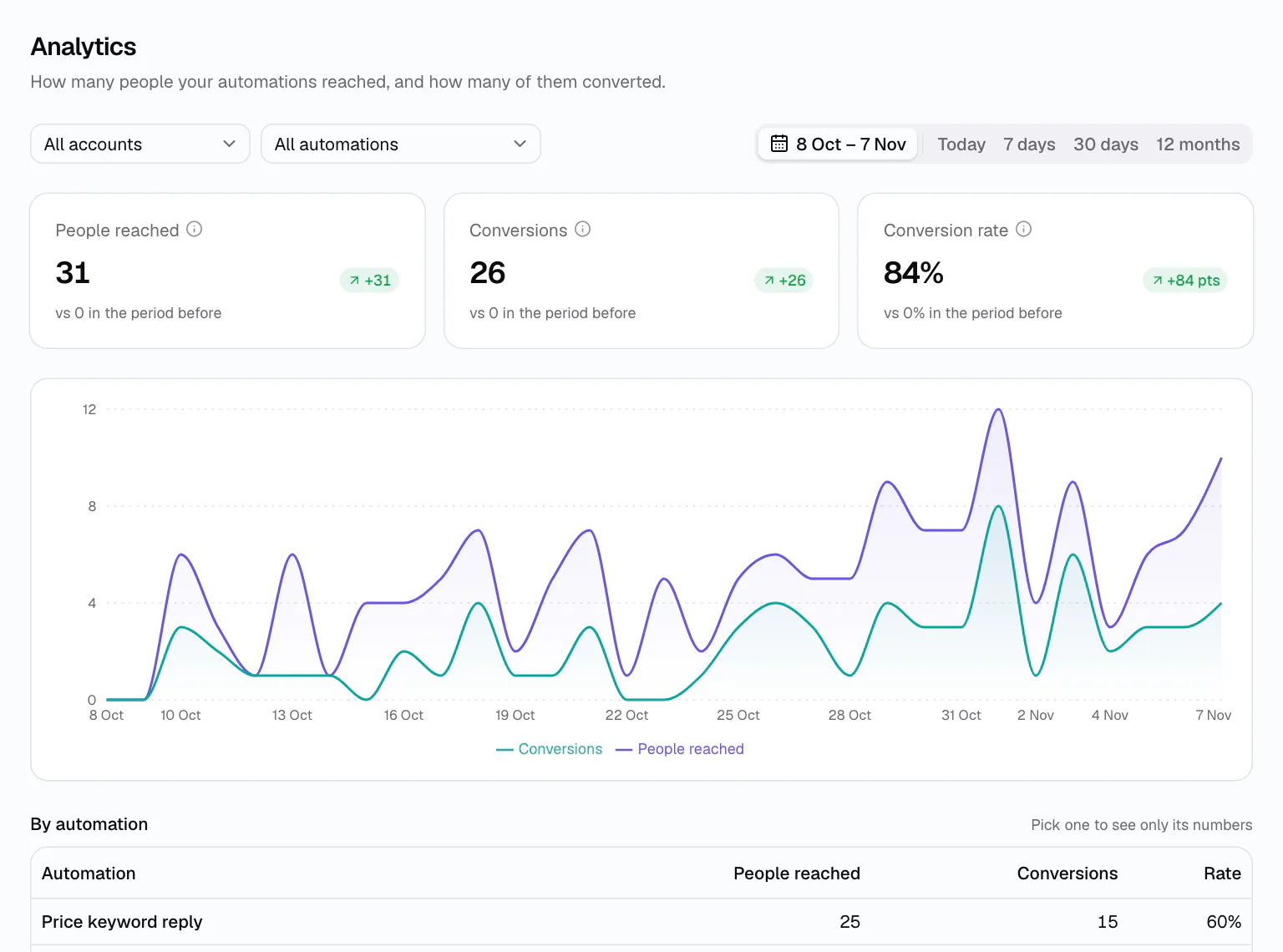
Clicks are easy to count and say little. DMCrew counts what you care about: how many people an automation actually messaged, and how many of them did the thing you built it for.
A conversion is a step you place yourself, “Mark as converted”, or a reply button a person taps. Each person counts once per automation, so the rate never goes above 100% and one eager fan does not inflate it.
How it works
Decide what counts
Put a “Mark as converted” step where the win happens: after the link, after the email, after the booking.
Run your automations
Every run records who it reached and whether they got to that step.
Read the numbers
Pick a period and an account or automation; the KPIs, the chart and the table follow.
Home shows what needs you
Home starts with a health verdict and what needs you: disconnected accounts, errors in the last day, automations at their daily limit. Below it, leads and people reached for 7 or 30 days against the period before, and your top five automations.
- Health verdict and an Issues button on every page
- Leads and people reached vs the previous period
- Top automations by result
Analytics answers “which one works?”
The Analytics page shows people reached, conversions and conversion rate for today, 7 days, 30 days, 12 months or a custom range, with a daily chart and a table by automation. Pick one row to see only its numbers.
Compare a Instagram comment-to-DM giveaway with a plain keyword reply, or see how a launch broadcast did. Steps that count are added in the DM flow builder.
Honest by default
People reached counts the people your automations and broadcasts messaged, not everyone who wrote to you. That is also how plans think about you: flat prices and no contact limits, so better numbers never cost more. See flat plans, never per contact.
Tags added on the way make the next step easy: send DM broadcasts to the people who converted, or to the ones who did not yet.
An example
Picture a course creator running a comment-to-DM giveaway on two posts. Each flow tags commenters “lead” and marks them converted once they open the guide link. Say that after a week the by-automation table shows one post reached 120 people with 70 conversions and the other 40 with 12. The next post copies the first one's hook, and a broadcast goes to everyone tagged “lead” when the course opens.
Who it is for
Which post sells
Two comment keywords on two posts, one table that shows which brought the leads.
Price page vs DM
Count a tap on “Yes, send the price list” and see how many price questions turned into interest.
Launch tracking
The broadcast's buttons lead into a flow that marks buyers as converted.
Works on
Questions
Analytics: questions
A person counts as converted when their run reaches a “Mark as converted” step, or taps a button you made count. Each person counts once per automation.
Today, 7 days, 30 days, 12 months or a custom range, for all accounts or one, and for all automations or one.
“People reached” counts the people your automations and broadcasts messaged. Organic chats you answer yourself are not counted.
Yes. Pick it in the automation filter or click its row in the table, and every number and the chart follow.
Yes. People a broadcast messaged count as reached, and anyone who then reaches a “Mark as converted” step counts as a conversion for the automation that step belongs to.